
Most companies assume they have a handful of AI agents running in their environment. When they actually run an inventory, they find three to five times more than expected, many without a clear owner, with access to sensitive data, and able to act on behalf of users.
That's the problem Microsoft is solving with Agent 365, which became generally available on May 1, 2026. It's the most significant Microsoft 365 release since Copilot itself.
Agent 365 is a control plane for AI agents. It gives IT and security teams one place to see, manage, and protect every agent running in their organization, whether those agents were built by Microsoft, by internal teams using Copilot Studio, or by third-party vendors.
Before Agent 365, the situation was a bit like managing company laptops before mobile device management existed. You knew people had them, you knew they were connecting to company systems, and you had no real way to enforce anything. Agent 365 is the MDM moment for AI agents.
Agents are easy to build now. That's the whole point of Copilot Studio. But easy to build also means easy to proliferate, and most of what gets built doesn't go through any formal review process.
An agent that operates with its own credentials, accesses files, calls external APIs, or acts on behalf of a user can cause real damage if it's misconfigured or compromised. It can overshare sensitive documents, be manipulated through a prompt injection attack, or quietly accumulate permissions it was never meant to have. None of that shows up anywhere until something goes wrong.
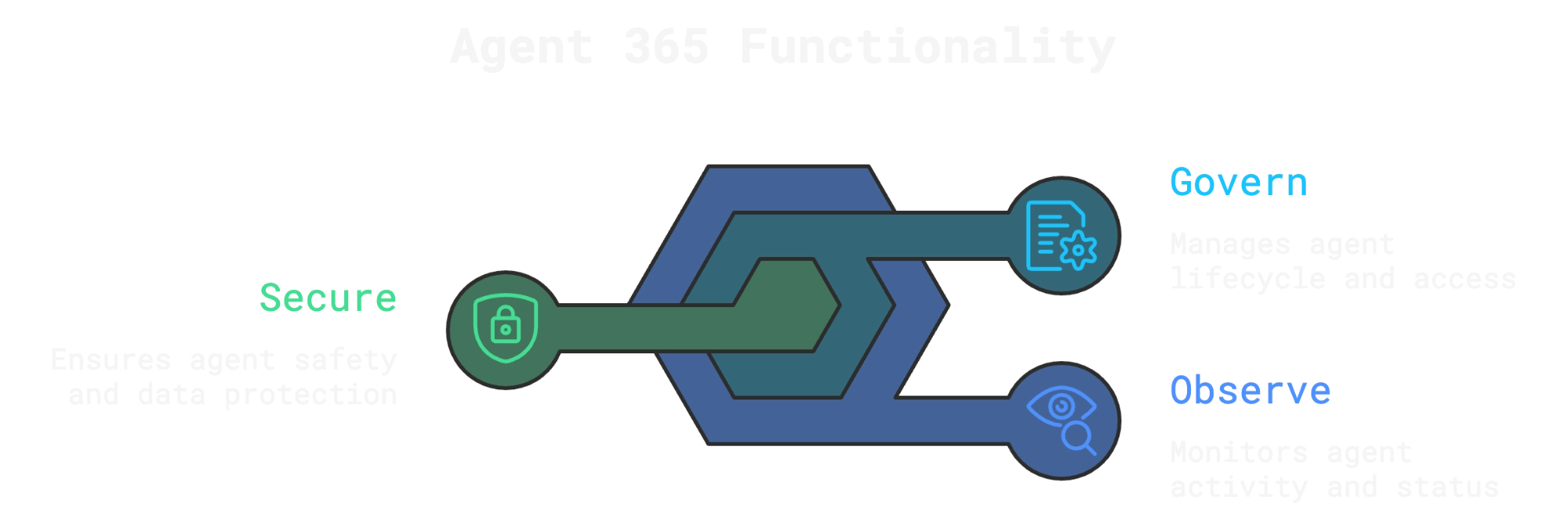
Agent 365 is built around three things: observe, govern, and secure.
Observe. A centralized registry holds a complete record for every agent in the organization, covering publisher, platform, ownership, permissions, data access, and usage activity. A map view shows how agents connect and interact across the environment. A dashboard surfaces key metrics and flags where attention is needed, such as agents with no owner, agents with unusual activity, or pending requests that need review.
Govern. Admins can install, publish, block, delete, and reassign agents from one place. Distribution controls let IT decide which agents are available to which people and groups. An approval workflow lets admins review an agent's permissions and data access before it reaches any user. Policy templates bundle controls from Microsoft Entra, Purview, Defender, and SharePoint into reusable guardrails that apply consistently at onboarding. Automated rules handle routine tasks like expiring inactive agents or reassigning ones that have lost their owner.
Secure. Agent 365 brings agents into the same zero-trust model used for people. Microsoft Entra Conditional Access and ID Protection now apply to agents, not just users. Purview extends data loss prevention, eDiscovery, and communication compliance to agent interactions. Microsoft Defender can detect and block threats in real time, for example stopping an agent that starts abusing its access to an email server before the action completes.
One area that gets less attention than it deserves is local agents. Tools like OpenClaw and Claude Code get installed directly on employee laptops, can read files and run code, and never touch a managed cloud service. Until now, IT had no way to see them.
Agent 365 introduces a Shadow AI page in the Microsoft 365 admin center, powered by Defender and Intune, that shows which local agents are running on which Windows devices. Admins can apply policies to block the unsanctioned ones. Coverage starts with OpenClaw and expands to GitHub Copilot CLI and Claude Code. From June 2026, Defender adds full context mapping for each local agent, showing connected MCP servers, associated identities, and reachable cloud resources.
Not every agent lives inside Microsoft's ecosystem. Developers are building on AWS Bedrock and Google Gemini Enterprise Agent Platform too. Agent 365 now syncs its registry with both platforms in public preview, giving IT a single inventory view across clouds, with basic lifecycle governance (start, stop, delete) coming soon.
Also in public preview is Windows 365 for Agents, a class of Cloud PCs built specifically for agentic workloads. Agents run in Intune-managed, policy-controlled environments with the same identity and security controls already used for employees. The difference between having visibility over what agents are doing and being able to confidently run them in production.
Separate from Agent 365, Microsoft also confirmed that agentic capabilities in Word, Excel, and PowerPoint are now generally available. Copilot can now take multi-step actions directly inside documents and spreadsheets, not just respond to a single prompt and hand back control.
Early usage data shows Word engagement up 52% per user per week, Excel up 67%, and PowerPoint up 11%.
Work IQ, the feature that grounds Copilot in user context, is what makes this meaningfully better than previous versions. Combined with multi-model support, including Anthropic Claude models now enabled by default for eligible tenants, Copilot picks the right model for each task rather than applying one approach to everything.
For teams building their own agents, Copilot Studio's Agent Builder now includes a submission and approval flow before agents go live in the organization's Agent Store. Approved agents appear in a "Built by your org" section, balancing discoverability with IT control. Copilot Studio connects to more than 1,400 external connectors and supports multi-agent orchestration, routing tasks to specialist agents when a single agent isn't the right fit.
What Microsoft released on May 1 is an acknowledgment that the Agents are now part of how organizations actually work, and the infrastructure to manage them at scale has finally caught up.
The question for most organizations is no longer whether to use agents. It's whether their people actually know how to get value out of them, and whether IT has the controls in place to let that happen safely.
Governance without real usage is just overhead. The organizations seeing results are the ones where employees understand what agents can do, know how to build them for their specific workflows, and use Copilot consistently in the tools they already work in every day.
That's exactly what we help companies do at AI Academy. We work with teams to move past the pilot phase and into real adoption, building practical skills through our Generative AI Project Bootcamp and giving people hands-on experience with Copilot and agent-building for their actual jobs, not just in demos.
If your organization is rolling out Microsoft 365 Copilot or starting to think seriously about agents, we'd love to help you do it right.
Learn more about AI Academy's corporate training programs
What is Microsoft Agent 365?
Agent 365 is Microsoft's control plane for AI agents. It gives IT and security teams a centralized place to discover, govern, and secure every agent in their environment, whether built by Microsoft, internal teams, or third-party vendors.
When did Agent 365 become generally available?
Agent 365 reached general availability on May 1, 2026, after roughly six months in Microsoft's Frontier early-access program.
How much does Agent 365 cost?
$15 per user per month as a standalone product, or included in the Microsoft 365 E7 Frontier Suite at $99 per user per month, which also bundles Microsoft 365 E5, the Microsoft Entra Suite, and Microsoft 365 Copilot.
What is the difference between Agent 365 and Copilot Studio?
Copilot Studio is where you build agents. Agent 365 is where you manage and govern them once they're deployed.
What is Shadow AI, and how does Agent 365 address it?
Shadow AI refers to local agents installed on employee devices outside IT's visibility. Tools like OpenClaw or Claude Code can read files and take actions without touching managed cloud services. Through Defender and Intune, Agent 365 can detect these on Windows devices and apply policies to block unsanctioned ones.
Does Agent 365 work with non-Microsoft platforms?
Yes. Agent 365 syncs its registry with AWS Bedrock and Google Cloud, both in public preview, giving IT visibility across multicloud environments from a single admin view.
What are the agentic updates to Word, Excel, and PowerPoint?
Copilot can now take multi-step actions directly inside documents and spreadsheets rather than responding to one prompt at a time. It can rewrite, restructure, and build content end to end while keeping every change transparent and reversible.
Do I need to be technical to use Agent 365?
Building agents in Copilot Studio can be done without coding. The governance and security features are designed for IT and security professionals familiar with Microsoft 365 admin center, Entra, Purview, and Defender.
What is the new Microsoft AI agent certification?
Exam AB-620 covers Copilot Studio, Power Fx, Dataverse, MCP, retrieval-augmented generation, and Agent2Agent. The first 300 people to take the exam before May 12, 2026 receive an 80% discount with code "AB620Sunny26."
How does Agent 365 relate to the EU AI Act?
The EU AI Act becomes fully applicable on August 2, 2026. Agent 365 helps organizations address several of its requirements around agent inventory, risk management, data governance, and human oversight by bringing agents into existing compliance frameworks.


.png)