
Two kinds of work that used to require a specialist now start with a sentence. One is the recurring report that someone in data or finance rebuilds every Monday. The other is the short explainer video that goes to the whole company, or to customers, and usually costs a designer a week.
On 8 October 2026, Anthropic added both to Claude as new artifact types. Claude Dashboards connects to your company's data and builds a live dashboard from a question asked in plain language. Claude Motion turns your content into a short animation you can download as an MP4.
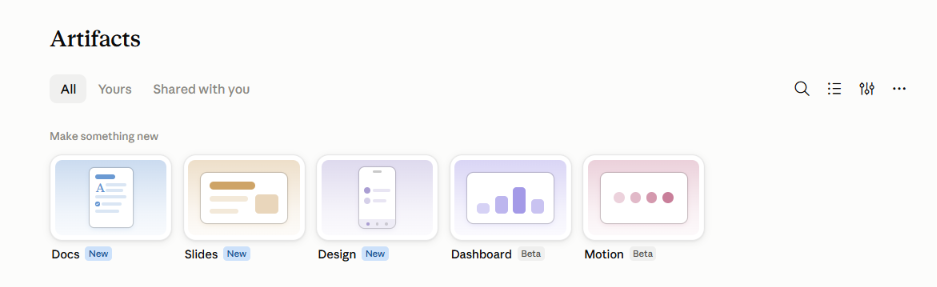
Both are in beta, and both have plan requirements we cover in the FAQs at the end. This article is about what they actually do, how to use them, and the jobs business teams are already pointing them at.
We tested Motion ourselves. The video further down this page is the result, and we made it in an afternoon.
A Claude dashboard is a set of charts built from your company's own data, created by asking a question in ordinary language. You type something like "show me this quarter's revenue by region" and Claude produces the charts.
The part that matters for anyone who has been burned by a wrong number is what sits behind each chart. Claude writes a database query for every chart it builds, and you can open that query to see exactly what was counted. If it counted the wrong thing, you say so in the chat and Claude corrects it.
Each chart also shows when its data was last refreshed. So you know whether you are looking at this morning's numbers or last week's before you quote them in a meeting.
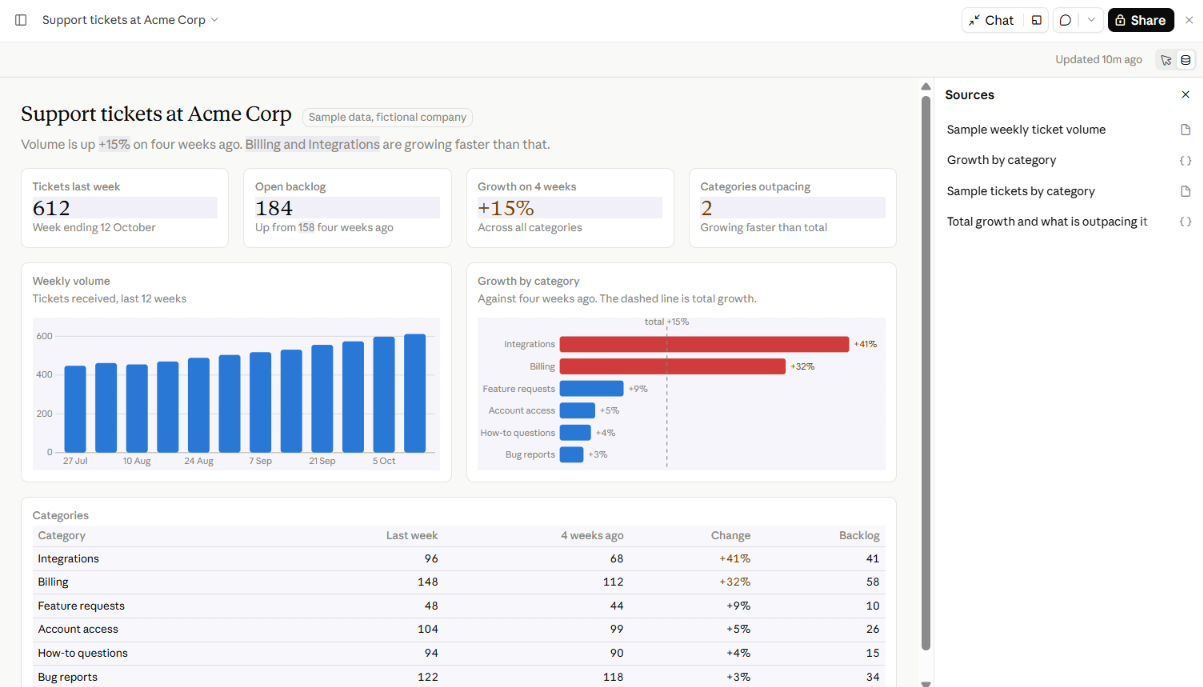
An example of a finished dashboard, with sources panel open beside it
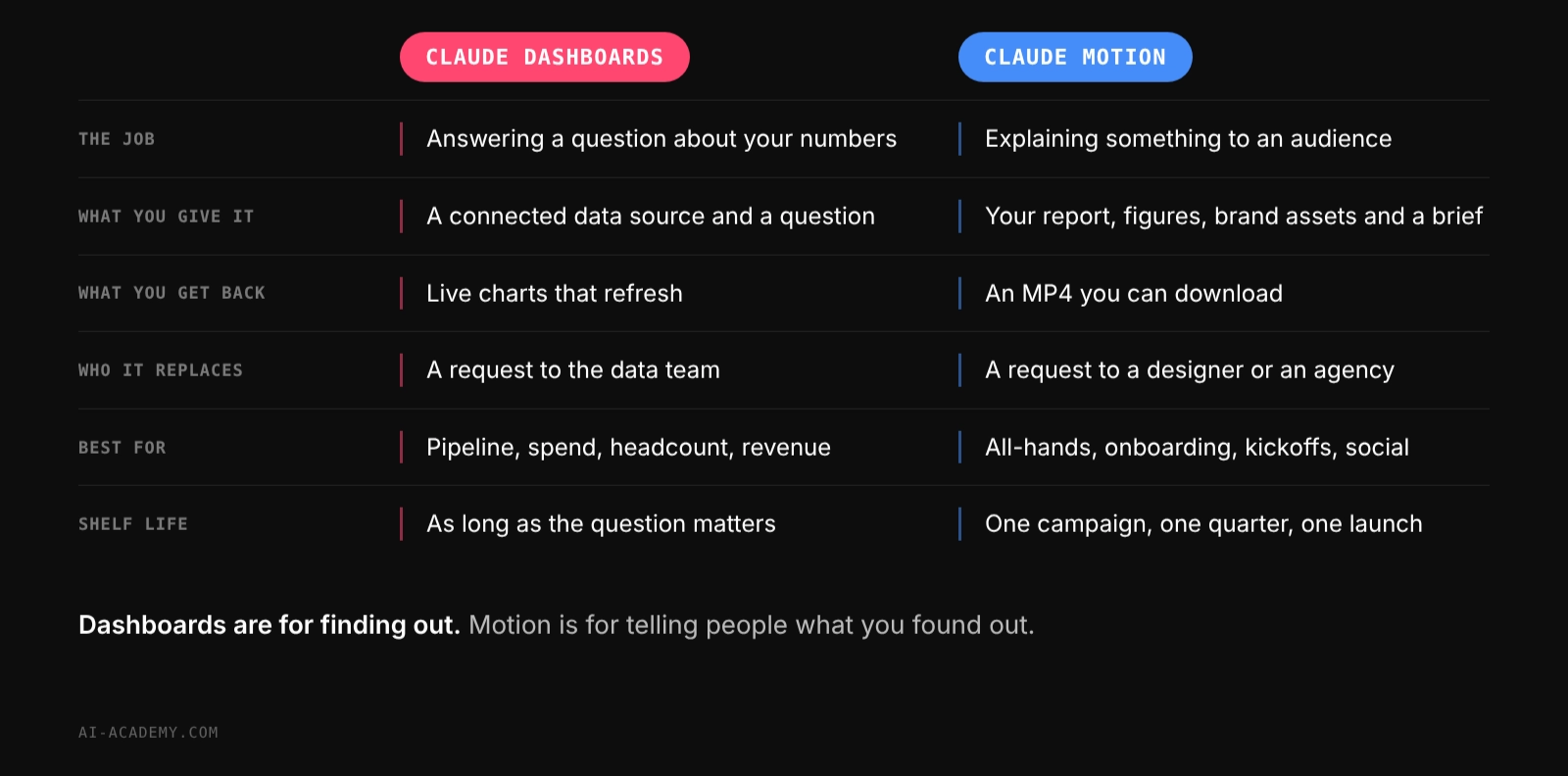
This is a different job from the dashboards your BI team maintains. Those are built once, carefully, and watched for years. A Claude dashboard is for the question you have right now, the one that is not worth filing a ticket for. When an exploratory dashboard turns out to be something the business needs permanently, you can send it to a proper BI tool and continue there.
Dashboards are saved in your Artifacts tab, and they start private until you choose to share them.
If you have used Claude for a while, you have probably already made something dashboard shaped. You paste in a table or upload a spreadsheet, ask for charts, and Claude builds you an interactive page. That still works and it is still useful.
The limit was always the data. Whatever you pasted was a snapshot, accurate the moment you pasted it and out of date the next morning. To update the dashboard you exported the data again and rebuilt it, which is why most of those dashboards were used once and forgotten.
Three things are different with the Dashboards template.
The data is connected, not pasted. Claude queries your warehouse or your connected apps directly, so the charts reflect the source rather than a copy of it.
Claude writes queries you can inspect. Before, Claude worked from numbers you had already pulled, and any mistake happened upstream in your export. Now the query is part of the dashboard, visible and correctable.
You can see how fresh the data is. Each chart carries its last refresh, so the question of whether these numbers are current has an answer on the page.
The practical rule. If the data lives in a file on your laptop, a regular artifact is still the fastest route. If it lives in a system the company runs, use Dashboards.
You do not need to know SQL and you do not need to have used a BI tool before.
If you prefer to start from blank, open the Artifacts tab, pick a Dashboard, and describe what you want from there.
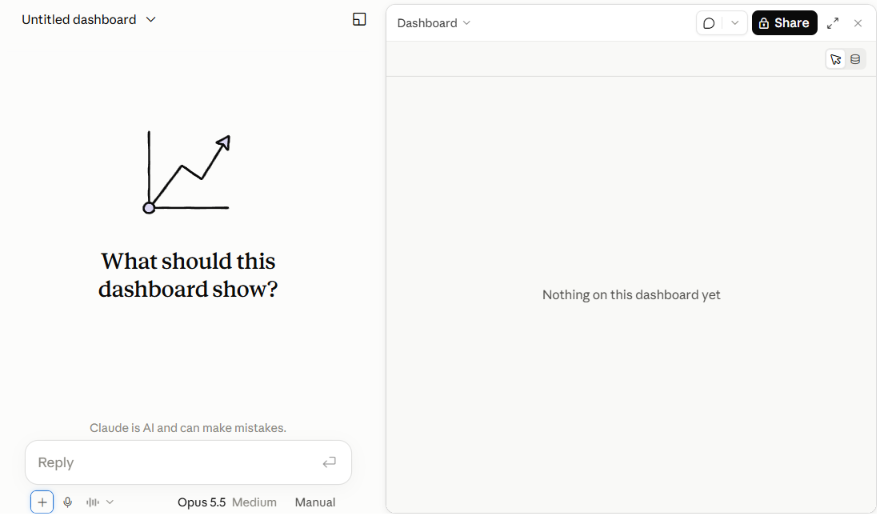
Describe what you want to know and Claude picks the output.
The pattern we see is the same across functions. Someone has a question, the answer exists somewhere in a system they half understand, and asking for it properly would take a week. Here is what that looks like by role, with the prompt we would start from.
Sales. Where the pipeline actually stands, without waiting for the weekly report. "Build a dashboard of open opportunities by stage and owner, and show how much has moved stage in the last 14 days."
Marketing. Spend against results, in one view instead of four tabs. "Show monthly spend by channel next to leads generated, for the last 12 months."
HR and People. Headcount, attrition and time to hire, refreshed rather than rebuilt. "Make a dashboard of headcount by department and month, with voluntary exits shown separately."
Operations and Support. Volume and backlog, broken down the way your team actually works. "Show ticket volume by week and category for the last quarter, and flag categories growing faster than total volume."
Finance. The recurring cut of revenue that someone rebuilds every month. "Build a dashboard of this quarter's revenue by region and product line, compared with the same quarter last year."
Leadership. One page that answers the three questions asked in every management meeting, rather than a deck assembled the night before.
The common thread is that these are questions, not reports. If you find yourself asking the same question every week, that is a sign to make it a dashboard and share the link instead of the answer.
Claude Motion turns your content into a short animated video. You describe what you want, attach the report or the figures it should be built from, and you get an animation you can download as an MP4.
We made this with Claude Motion.
Our brand colours, our own copy, a real quote from a client. No stock footage and no actors.
The important distinction is how it is built. Motion does not use a video generation model. There is no generated footage and no synthetic people. Every animation is code that moves your own text, charts, shapes and images.
That has two practical consequences.
The first is that nothing in the video is invented. The numbers on screen are the numbers you supplied. For anything client-facing or regulated, that matters more than how the video looks.
The second is that you can change one detail without rebuilding the whole thing. A figure that was wrong, a word in a headline, the pace of one scene. You change it and the rest stays as it was. Anyone who has asked an agency to fix a single number in a finished video will recognise why this is useful.
What it cannot do is equally clear. If you need a person on camera, or realistic footage of a real place, Motion is the wrong tool.
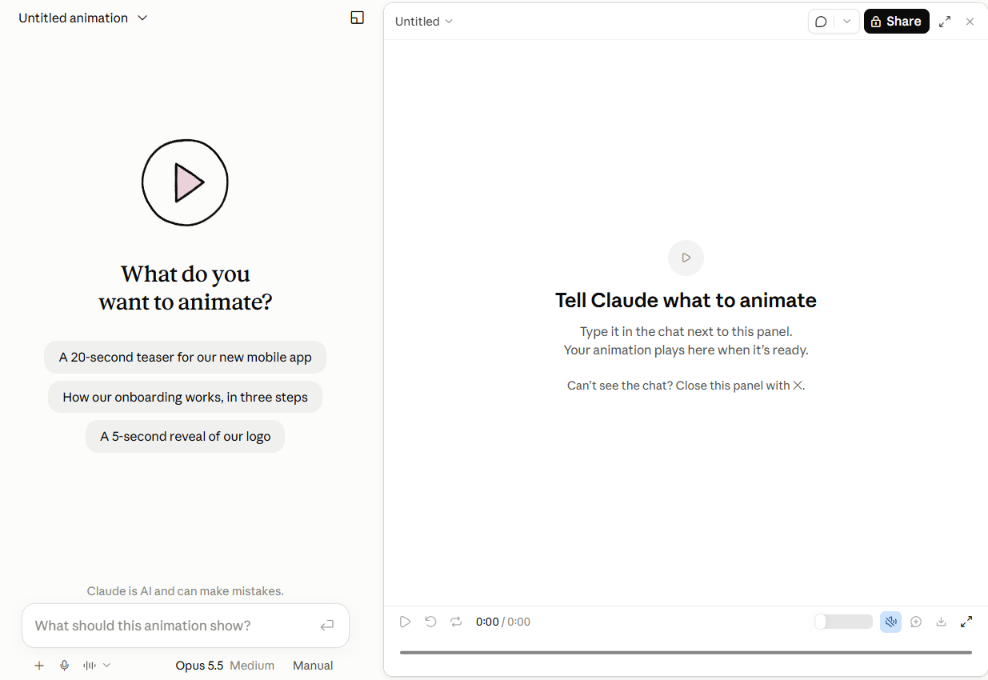
Where a Motion animation starts. Describe what you want in the chat on the left and it plays on the right.
One practical note from making ours. The first version is a starting point, not a finished asset. Expect two or three rounds. That is still an afternoon rather than a month.
Most companies have a backlog of things that would be better as a short video and never become one, because the effort is out of proportion to the audience. That is the gap this fills.
The quarterly recap for an all-hands. Take the report that already exists and turn the three numbers that matter into 60 seconds people will actually watch.
A pricing or product comparison for a sales kickoff. Three tiers animated side by side land better than a static slide, and the sales team can reuse the file.
Customer onboarding. A short walkthrough of the first setup steps, attached to the welcome email. Update it when the product changes instead of rebooking a studio.
Social content. An animated chart or a single statistic, built from your own data, sized for LinkedIn. This is how we plan to use it most often.
Internal policy and process explainers. The new expense process, the security rules, the thing nobody reads in a PDF.
Event and booth loops. A silent 30 second loop that runs behind a stand and says what the company does.
What these have in common is a small audience and a short shelf life. Nobody commissions an agency for a 45 second internal explainer that is out of date in a quarter. Now somebody on the team makes it in an afternoon.
Both features are in beta. Expect them to change, and expect some rough edges.
Check the query before anyone acts on a number. This is the one habit that matters. A dashboard is only as right as the query behind each chart, and a wrong number presented in a clean chart is more convincing than a wrong number in a spreadsheet. Open the query, read what it counted, and correct it in the chat if it counted the wrong thing. We teach this as a general rule for AI at work, and it applies here directly.
Dashboards are for exploring, not for governed reporting. If a number is going into a board pack or a regulatory filing, it still goes through whatever process it went through before.
Motion will not give you footage or people. If the brief needs a human face, this is not the tool.
Both consume your plan's usage. Longer and more complex animations use noticeably more than a typical message.
Somebody has to turn them on. On Enterprise plans both are off until an owner enables them, and access can be limited to specific groups. Worth checking before you promise a team they can use this on Monday.
Pick one thing you already do by hand and try it this week.
For Dashboards, choose the question somebody on your team answers every Monday by exporting a spreadsheet. Build it once, check the queries, share the link, and stop rebuilding it.
For Motion, take a report you have already written and turn its three main points into a 60 second video. You are not creating new content, you are giving existing content a form more people will consume.
The tools are quick to learn. What takes longer is building the habits around them, deciding which outputs need verification, who reviews what, and where the line sits between exploring and reporting. That is the part that determines whether a team gets value from AI or just gets busier.
We help companies build that capability through practical training programmes designed for business professionals, not developers.
Which plans include Claude Dashboards and Claude Motion?
Dashboards are in beta on Pro, Max, Team and Enterprise. Motion is in beta on Team and Enterprise only. On Team plans Motion is on by default. On Enterprise both are off until an owner enables them under Organization settings, Artifacts, and access can be limited to specific groups using custom roles.
Do I need to know SQL to use Claude Dashboards?
No. You ask your question in ordinary language and Claude writes the query. You can open that query to check what it counted, and you can tell Claude to correct it in the chat without writing any SQL yourself.
Which data sources can Claude Dashboards connect to?
Data warehouses including Amazon Redshift, BigQuery, ClickHouse, Databricks and Snowflake, plus other apps connected to Claude such as Salesforce.
Can I send a Claude dashboard to our existing BI tool?
Yes. Dashboards can be sent to tools including Amplitude, Grafana, Hex, Mixpanel, Omni, PostHog and Sigma. Databricks Genie, Looker, monday.com and Tableau are listed as coming soon.
How do I know a dashboard's numbers are current?
Each chart shows when its data was last refreshed, so you can see how fresh the figures are before you quote them.
Is Claude Motion a video generator?
No. Motion builds animations as code that moves your own text, charts, shapes and images. It does not generate footage and it cannot produce realistic people or places.
How do I start a Motion animation?
Type /motion in the message box and pick Motion from the list, or open the Artifacts tab and pick a Motion template.
Can I download the animation?
Yes, as an MP4 using Export. The file also opens in editing tools such as Adobe, Descript, HeyGen and Runway if someone wants to work on it further.
How long can a Motion animation be?
Anthropic has not published a maximum length. Longer and more complex animations consume more of your plan's usage than a typical message. The video in this article runs 66 seconds.
What is the difference between a Claude dashboard and a dashboard built as a normal artifact?
A normal artifact charts data you paste or upload, so it shows a snapshot that goes stale as soon as the underlying numbers change. A Claude dashboard queries a connected data source, shows the query behind each chart, and reports when the data was last refreshed. Use an artifact for a file on your laptop and a dashboard for data the company runs in a system.


.png)
.png)