
Most companies use ChatGPT the same way: one person, one chat window, one task. It works, but the knowledge stays with that person. The prompt that took an hour to get right lives in someone's chat history, and everyone else starts from zero.
Workspace agents are OpenAI's answer to that problem. Announced in April 2026, they let a workspace turn a repeatable process into a shared agent that works across approved tools. OpenAI's Help Center documents them for ChatGPT Business and Enterprise, and access depends on rollout, workspace settings, and role-based permissions.
Here is what they are, how they differ from a normal chat or a custom GPT, how to choose your first one, and how to build it.
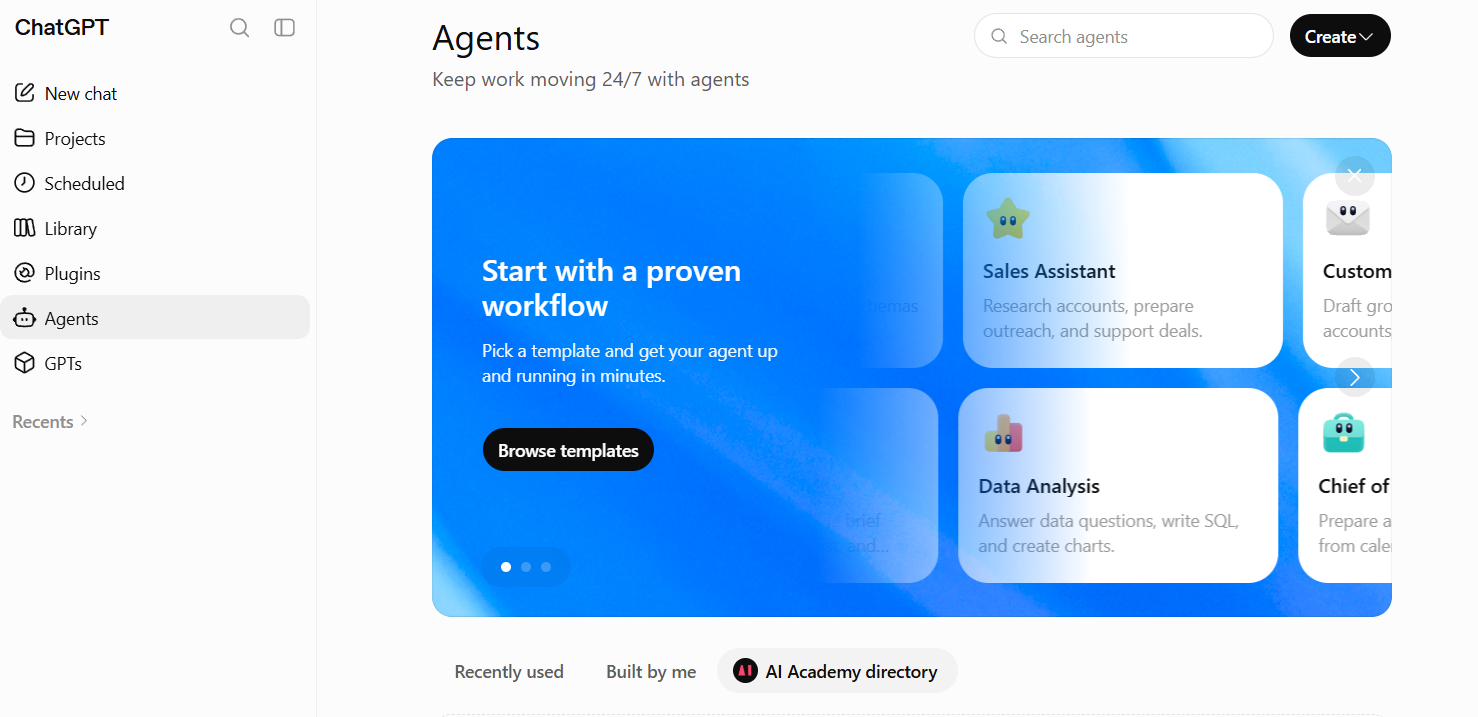
A workspace agent is a shared AI agent created inside a ChatGPT workspace. It is powered by Codex and built to handle multi-step work using the instructions, skills, files, connected apps, and permissions you give it.
You describe the job the team needs done, connect the relevant tools, define how the work should happen, and test the agent before sharing it. Teammates can then use it in ChatGPT or, where enabled, talk to it in a Slack channel.
A workspace agent does more than produce a single response. Depending on its setup and permissions, it can:
Think of it as a reusable operating procedure with an AI worker attached. The instructions describe how the work should be done. The connected tools provide context and actions. The approval rules define where a person must step in.
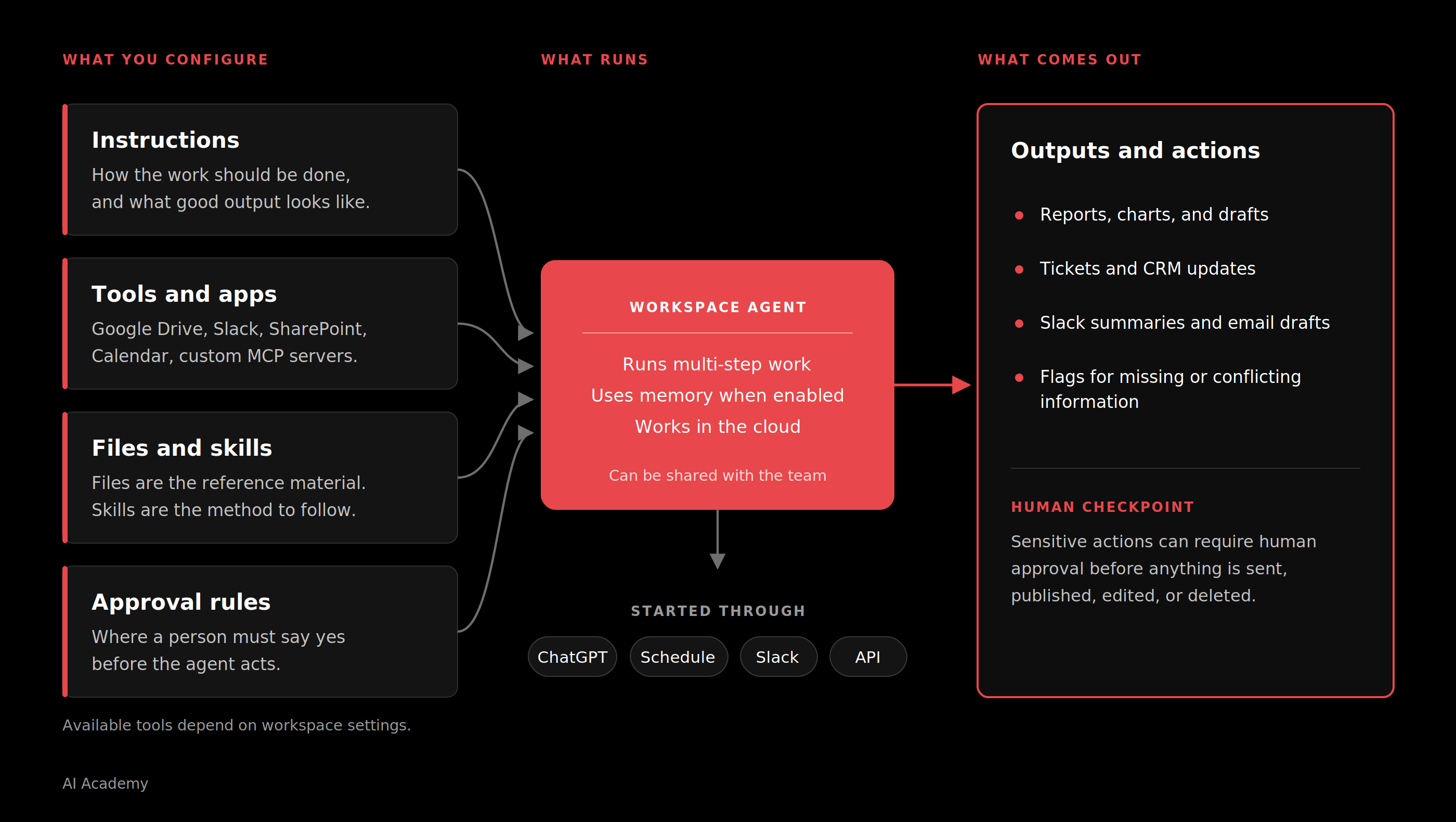
What separates an agent from a good prompt is that it is shared. A prompt lives in one person's chat history. An agent lives in the team directory, runs the same way every time, and keeps working when nobody is watching.
Individual AI use has already made people faster on their own. What still drags is the work that crosses people: recurring processes with handoffs, shared context, and a standard everyone is expected to follow.
The report that pulls data from three systems. The lead that needs research, scoring, and a follow-up. The month-end close that follows a checklist someone wrote in 2023.
Handing that kind of work to an agent changes three things.
The process stops living in one person's head. Right now the colleague who does it best has the method spread across their chat history, their notes, and their habits. Define it in a shared agent and the workflow becomes something the organization can reuse, review, and improve. It survives holidays and handovers, as long as the agent has a clear owner and runs on a service account rather than one person's login.
The work stops depending on someone remembering. A chat waits for a person at every step. A configured agent runs on schedule, gathers what it needs from approved sources, and leaves a draft ready for review. Most of the hour it saves went on chasing and collecting, long before anyone started writing.
The team starts from the same standard. Twelve people doing the same review by hand apply twelve slightly different bars. A shared agent starts from the same instructions, criteria, and approval rules each time. Outputs still vary and still need review, but the process underneath them is consistent, which makes the exceptions easier to spot.
There is real work upfront. Someone has to define the process, pick reliable sources, set permissions and approval points, test the awkward cases, and own the result. That work turns what your best people already know into something the rest of the team can use.
This is the question we get most often from business teams, so here is the short version.
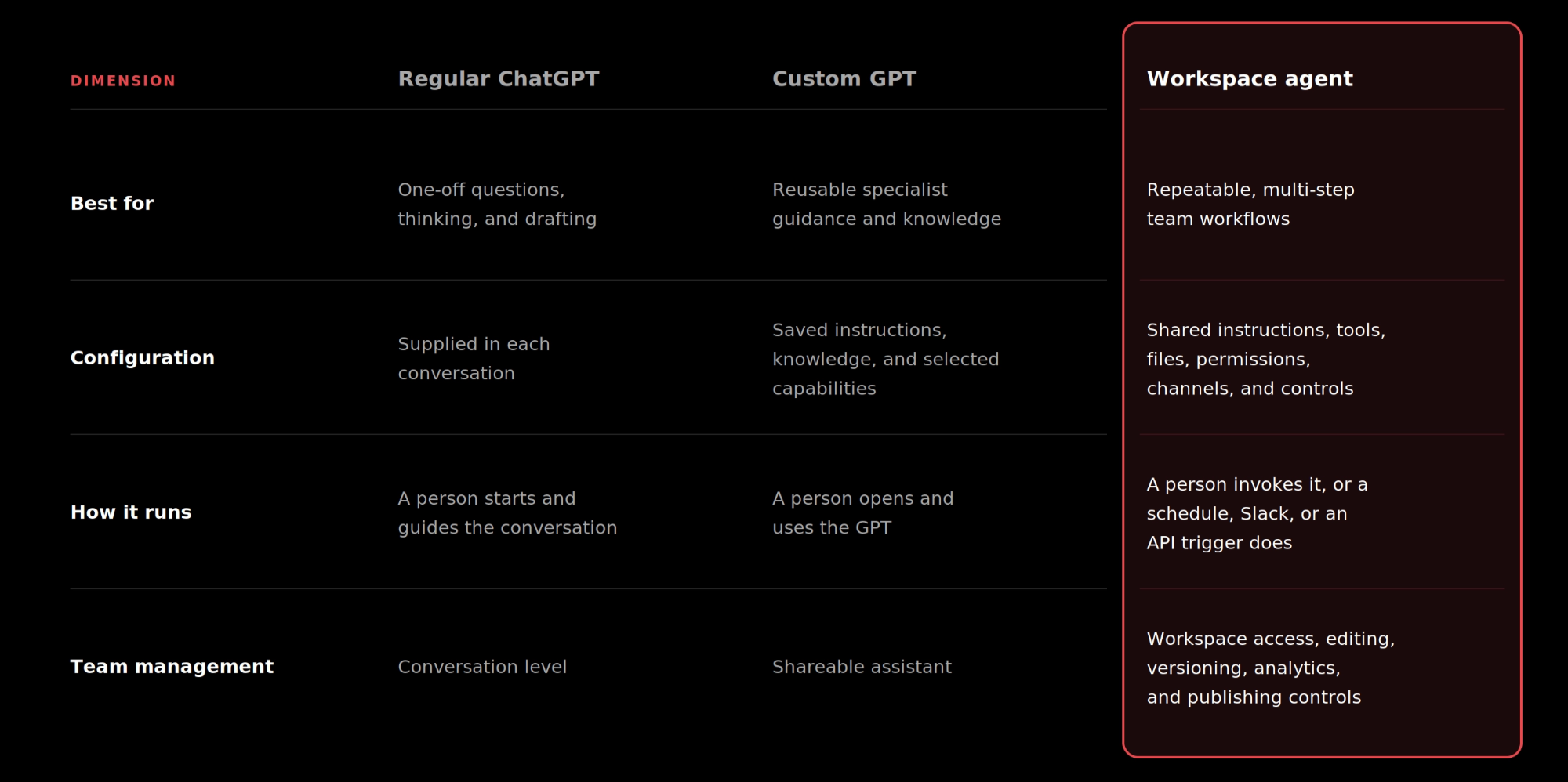
The boundaries blur at the edges, since custom GPTs can also use tools and knowledge. The practical difference is that a custom GPT packages expertise, while a workspace agent carries a workflow forward with schedules, channels, app authentication, write approvals, and action constraints attached.
The strongest use cases tend to be the unglamorous ones: recurring tasks where people spend their time gathering information, applying a known set of rules, formatting the result, and handing it to someone else.
A lead outreach agent could collect approved account information, compare a lead with your qualification criteria, summarize relevant call notes, draft a personalized follow-up, and prepare the CRM update.
The sales representative still reviews the recommendation and the message. The agent removes the repetitive research and assembly work that happens before that decision.
A product feedback agent could gather feedback from support channels, Slack, and approved public sources, group similar comments, identify recurring themes, prioritize them using a team rubric, and produce a weekly summary or draft product tickets.
This gives product teams a more consistent view of customer signals without asking someone to copy comments between systems by hand every week.
A close agent could prepare reconciliations and variance analysis, generate the workpapers reviewers need, and follow internal policy as it goes.
Finance remains accountable for the numbers and approvals. The agent prepares the work in a repeatable format so reviewers spend their time checking rather than assembling.
A software review agent could receive an employee request, compare the tool with the approved software list and company policy, identify missing information, route the right approval, and open an IT ticket with the next steps.
Speed is part of the gain. The bigger one is consistency, since every request meets the same criteria, which makes the exceptions easy to spot.
A third-party risk agent could collect information about a potential supplier, screen for relevant financial, sanctions, security, or reputational signals, and produce a structured report for the risk owner.
This is a good example of AI preparing a decision rather than making the decision. The agent gathers and structures the evidence. An accountable person decides whether the company should proceed.
Before you open the builder, choose the workflow. Score the candidates against five questions:
The strongest first candidates are frequent, clear, well-sourced, easy to review, and low-risk. Avoid workflows where the goal changes constantly, the source data is unreliable, or an error would immediately hit a customer, an employee, or a financial record.
Do not start with the most sensitive or politically complicated process in the company. Agents get better as teams spot problems, update the instructions, retest the draft, and publish a better version. That is a good reason to start with a workflow you already understand well, rather than the one that annoys you most.
A weekly team update scores well on all five questions. It happens every Friday, the format is known, the sources are a project tracker and meeting notes, a team lead can spot a wrong claim in seconds, and nothing leaves the team before approval.
Whatever you choose, run it with a small group for four weeks and track:
If the agent is reliable, widen its scope gradually. If it is not, fix the process, the data, or the instructions before giving it more access.
There are two ways to create an agent: start from a template or use the agent builder. Both let you refine and preview the agent before creating it. Interface labels may change as OpenAI updates the product, but the current official flow is straightforward.
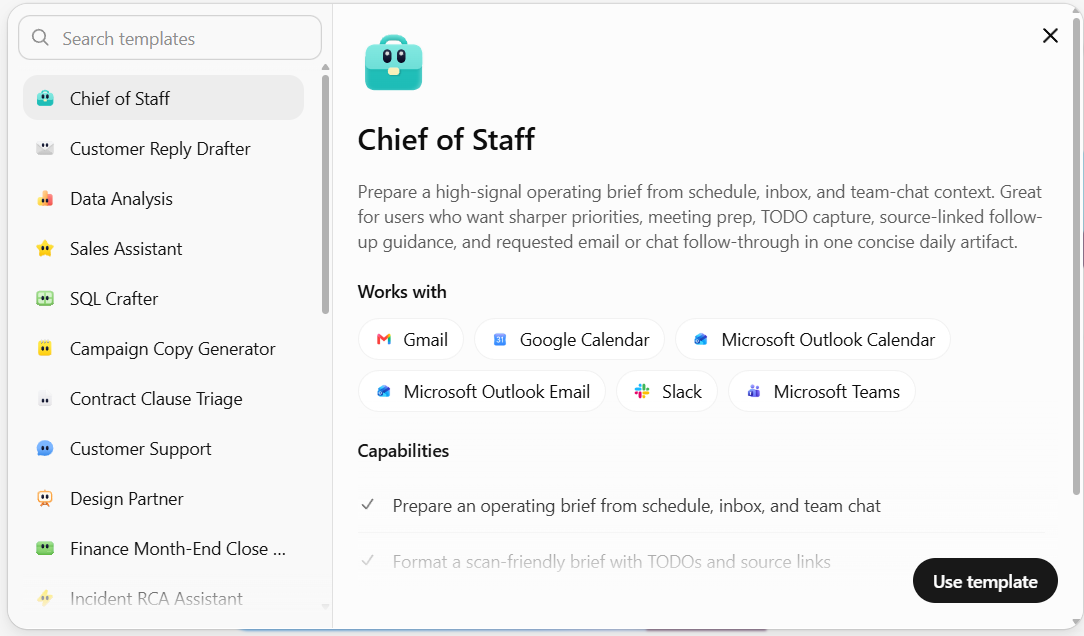
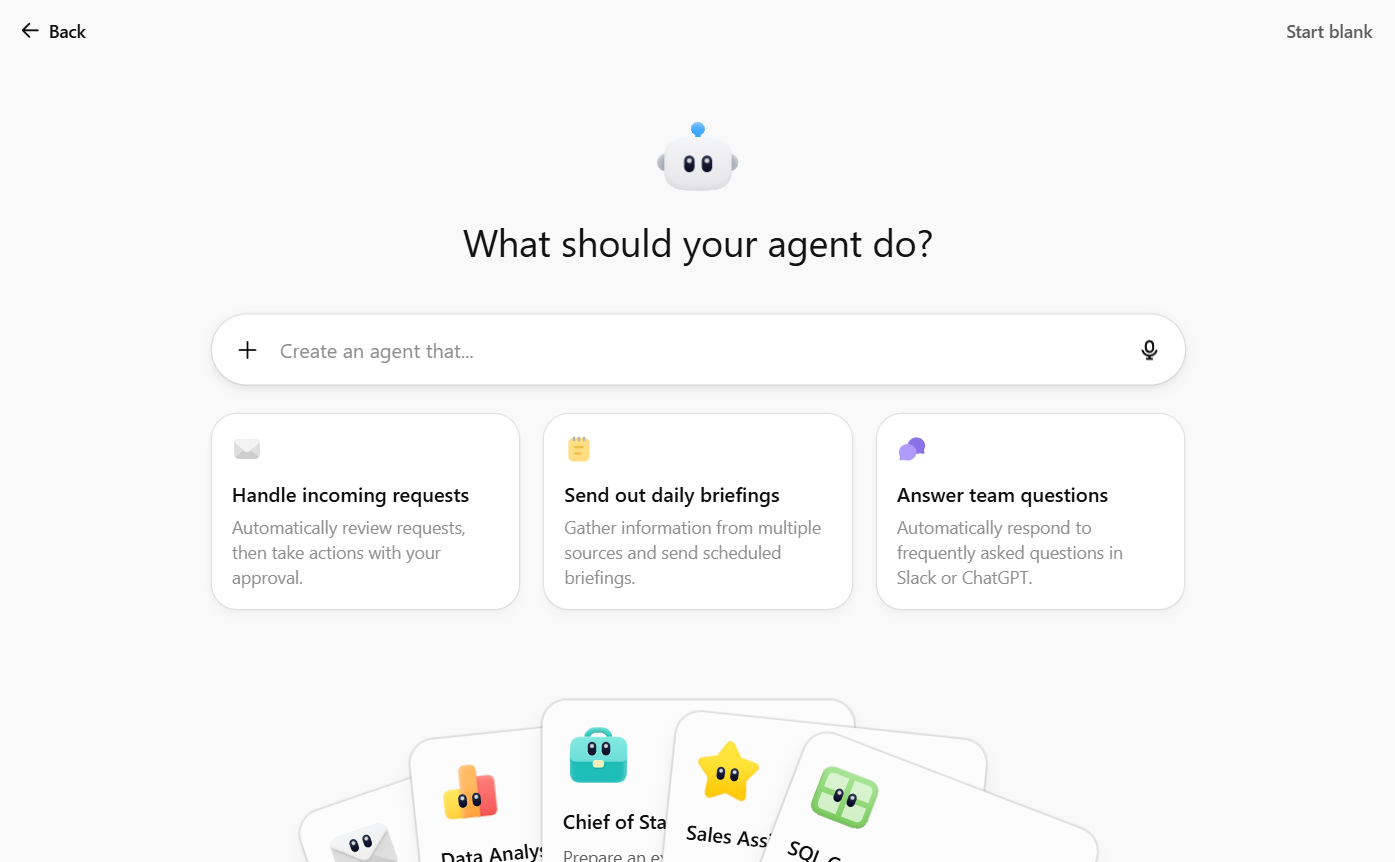
At the time of writing, the builder also walks you through a short set of questions about sources, schedules, destinations, and approvals before it drafts anything. Treat those prompts as help, not as the decision itself.
Either route lands you in the same builder, which splits in two. The left pane keeps talking to you: connect this app, this is still missing, try this next. The right pane is the agent laid bare, with its channels, connected apps, skills, files, memory, and full instructions, all directly editable. Anything you can change by chatting on the left, you can change by hand on the right. Most people do both.
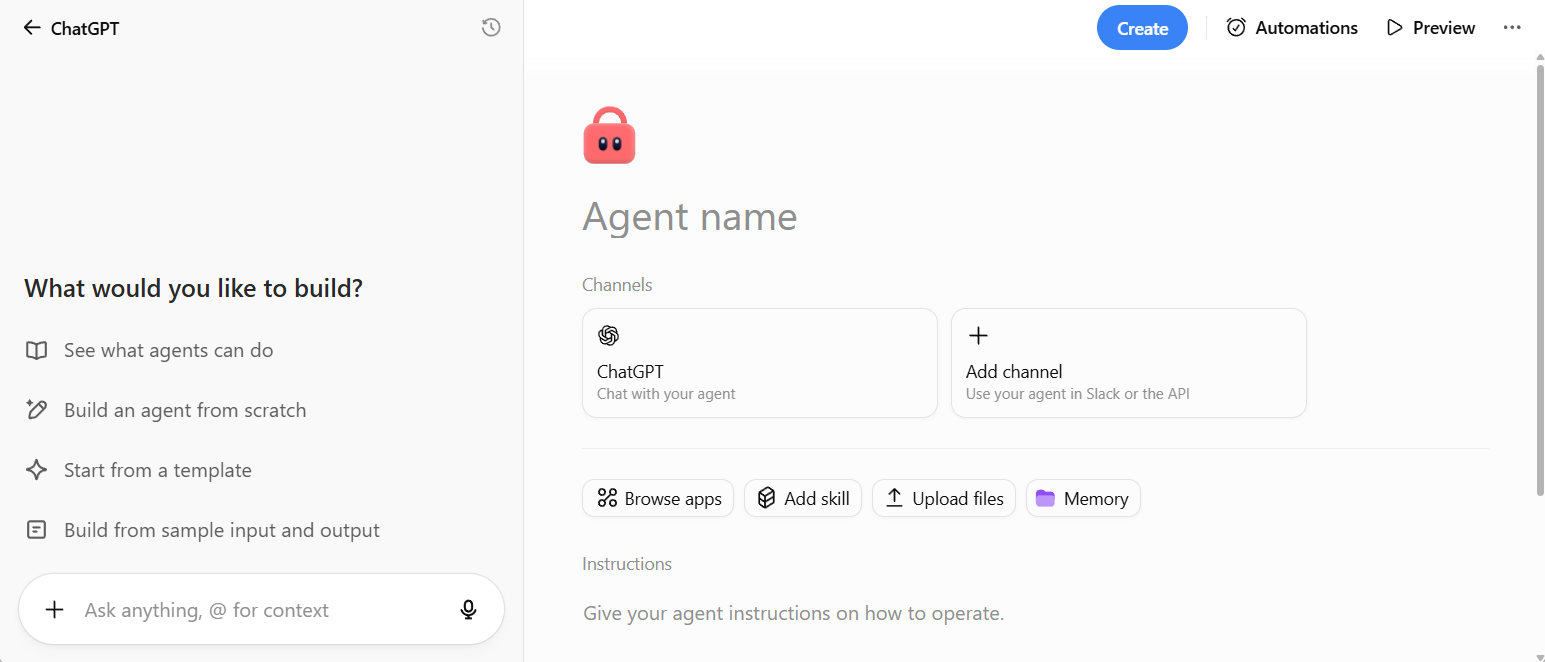
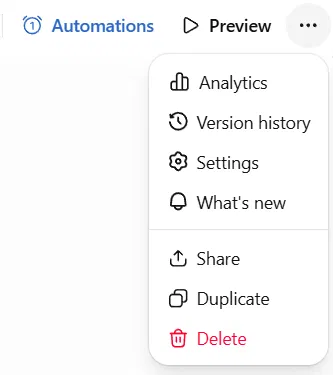
Across the top sit Automations, where the schedule lives, and Preview, which lets you test with a sample prompt before creating anything. A three-dot menu holds Analytics, Version history, Settings, Share, Duplicate, and Delete. Settings is where you choose the model and reasoning effort, and connect a Slack workspace.
So the useful preparation is having good answers ready, plus knowing the few things ChatGPT will let you get wrong.
The interview goes faster, and the agent comes out better, if you have already decided:
Inputs. Which documents, systems, or data it should use.
Steps. What checks, calculations, or decisions it should make.
Output. What it produces, for whom, and in what format.
For the weekly team update above, that might be: use the project tracker and the past week's meeting notes, group the content into progress, blockers, decisions needed, and next week's priorities, link back to the source for every claim, flag anything missing or contradictory instead of guessing, and deliver the draft to the team lead for approval.
Vague answers here are a common reason agents disappoint. Skipped questions are the second.
The builder helps you configure these, but the business owner decides what is appropriate.
Access. Give the agent the apps the workflow needs and nothing more. A reporting agent needs to read a spreadsheet and write a report. It does not need your inbox.
Authentication. Each app connection either authenticates as the person using the agent, or through one shared account the agent owns. If you pick the shared option, use a service account rather than your own. Otherwise everyone running the agent can reach data and trigger actions through your personal connection.
Approvals. Write actions default to Always ask during a run. Leave that on for anything that sends, publishes, edits, or deletes, at least until the agent has earned trust.
Run it on typical data, then break it on purpose. Remove a required file. Give it two sources that disagree. Ask for something outside its role. Feed it a document containing instructions that contradict yours.
Judge each run on accuracy, completeness, whether it shows its sources, format, and whether the approval gates held. Use what you learn to update the shared instructions, retest the draft, and publish the revised version. An agent earns trust on the awkward cases. Handling the easy one proves very little.
Name it clearly, say what it reads and what people still need to check, and choose who gets it: private, anyone with the link, or published to the company directory. Individuals and whole workspace groups can have either chat access or edit access.
Give it a way in. It appears in the ChatGPT sidebar by default, and you can add a schedule, a Slack channel, or an API channel so another system triggers it. One caveat on the API: it queues a run and returns a 202 with no body, so no run ID and no way to retrieve the answer yet. Treat it as a way to start a run, and collect the output somewhere else.
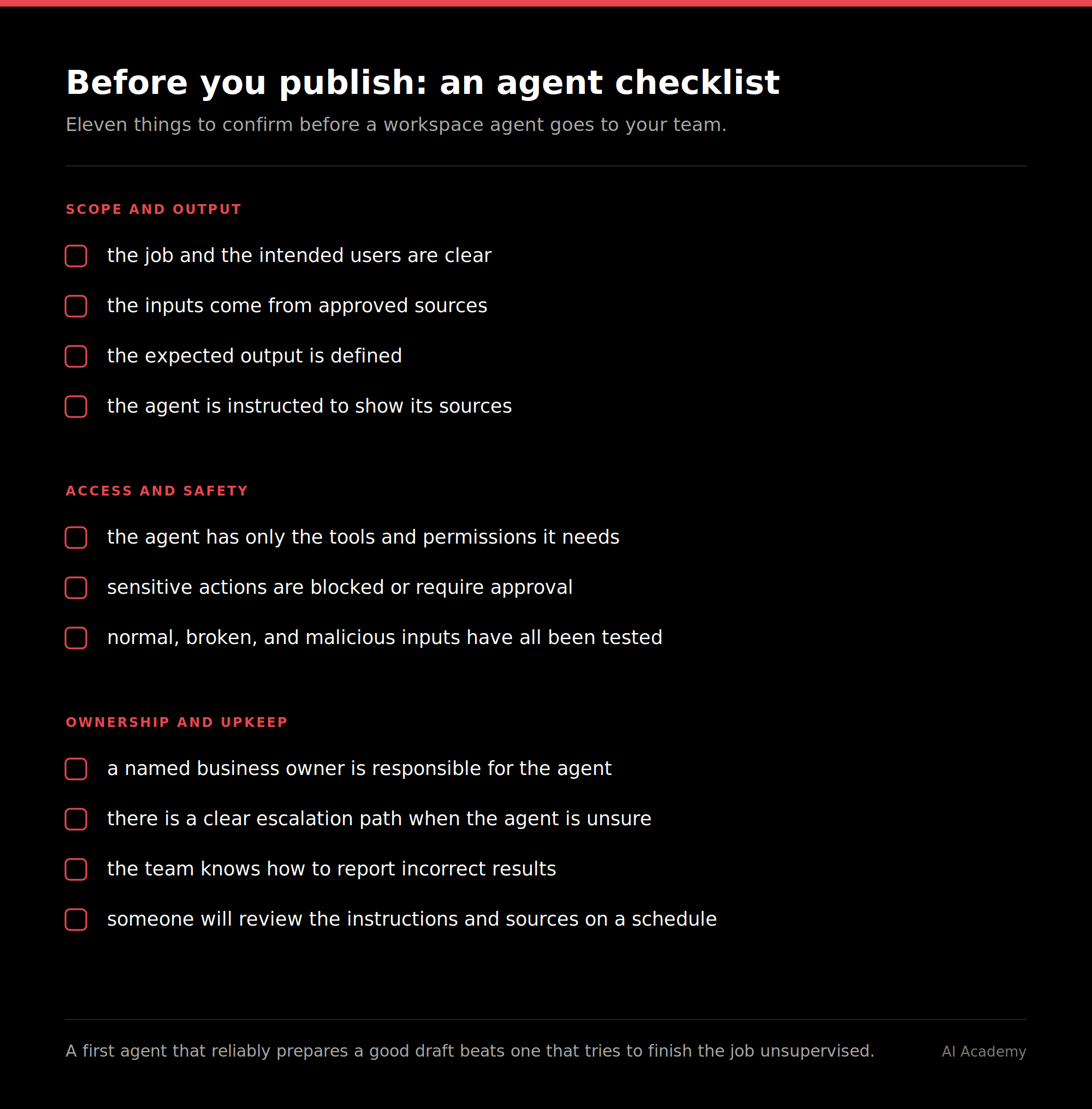
Workspace agents operate within the permissions and controls set by the organization, so this is the part that decides whether IT lets you use them at all. It is worth understanding before you pitch anything internally.
Role-based access. Admins control four separate things: who can run agents, who can build them, who can publish them to the directory, and who can publish agent-owned connections.
Connector Action Constraints. Builders can narrow what a connected app is allowed to do. You can allow an email action to send only to one domain, or allow read access to a single Google Doc. Worth knowing: constraints govern what the agent can ask a connector to do, not what the connector returns.
Visibility. Agent Analytics shows how many unique users have invoked an agent and how many runs it has had over time. OpenAI provides separate enterprise governance and compliance capabilities, so check the current Workspace Agents Security Overview and your own workspace controls for what your plan includes.
Prompt injection risk. Agents that read external content can meet malicious or misleading instructions hidden inside it. Platform safeguards help. They work alongside least-privilege access, write approvals, action constraints, careful testing, and human review for anything consequential.
Ask your admin which of these are already switched on before you design an agent around access it will never be granted.
Knowing what a workspace agent is and building one that survives contact with your team are two different skills. The second one is a training problem more than a software problem.
AI Academy's corporate training programs are built for exactly that. We work with your team on your tools, your data, and the workflows you actually want to automate, so people leave with agents in production rather than notes about agents.
Learn More About Corporate Training
Which ChatGPT plans include workspace agents?
OpenAI's Help Center documents workspace agents for ChatGPT Business and Enterprise. Availability varies by plan, rollout, workspace settings, and role-based permissions, and Enterprise workspaces have agents off by default until an admin enables them. If you are on another managed plan, check whether Agents appears in your sidebar or ask your administrator. Usage and pricing depend on your plan and OpenAI's current terms, so confirm both before a large rollout.
What happens to our existing custom GPTs?
OpenAI has said GPTs stay available while organizations test workspace agents. The two serve different purposes today, so there is no need to replace every GPT. Check OpenAI's current migration guidance before assuming a GPT's configuration or integrations will transfer unchanged.
Can we choose which model an agent uses?
Yes. Each agent has its own model and reasoning effort setting, so you can give a heavy analysis agent more thinking room than one that formats a weekly summary.
What is the difference between a skill and a file?
A file is reference material the agent reads. A skill is a defined process or set of specialized instructions the agent follows. Use files for the data and documents, use skills for the method.
Can we roll back an agent to an earlier version?
Yes. Agents keep version history, so you can review earlier versions, preview one, and republish it if a change made the output worse.
Can we share an agent with a whole team instead of person by person?
Yes, in eligible managed workspaces with Groups enabled. Access follows group membership, so people who join the group get access and people who leave lose it, without anyone editing the agent. If someone gets access from several sources, the highest level applies.
Can several people edit the same agent at once?
Owners can give teammates chat access or edit access, and editors work from a shared draft. Simultaneous edits are not merged in real time, so if a colleague saves first you get a save conflict and have to refresh. Copy any unsaved work before refreshing, and coordinate before big changes.
If we delete an agent, can we get it back?
No. Deleting an agent is permanent and cannot be undone. If you want a variation for a different task, duplicate the agent instead, which creates a draft copy you can change freely.
How many files can we give a workspace agent?
Files are limited to 512 MB each and 10 GB in total per agent. Performance can drop as you add more files and more data, and very large collections may stop the agent running altogether. Add only what the agent needs, split long documents into smaller files, and organize big collections into folders.
What is the difference between an end-user and an agent-owned connection?
With an end-user account, each person running the agent authenticates with their own credentials, so the agent only reaches what that person can already reach. With an agent-owned account, the agent uses one shared connection and nobody authenticates during the run. Agent-owned connections are the convenient option and the riskier one. OpenAI's guidance is to use a service account rather than a personal one, because anyone who can run the agent may access data or perform actions as the account holder. Limit the account to only what the agent needs, and audit the configuration regularly. Publishing agents that use these connections is a separate admin permission, so your workspace may not permit it at all. Slack is stricter again: every app connection on a Slack-deployed agent must use shared authentication, so personal connections have to be switched before the agent will work there.


.png)
.png)